
 01Before-and-after imagery → rework
Platform policy
Checked against the rules of the platform you run on, before it can be disapproved.
AdVizion catches what gets ads rejected, risky claims and weak spots, then fixes them before you spend a cent.
10 free credits for 14 days. No card required.
Claim
“Dermatologist tested”
Needs proofCTA
Seen late
Fix FIX
FIXAI label
EU audience
Label itBrand
Logo & product
PassedLUMA is a demo brand made in AdVizion. Real model output.
Every format · every channel
Square, portrait, story or landscape. Hover an ad to see what people will notice.
Demo brands made in AdVizion. Every verdict and heatmap is AdVizion's real output on that ad.
Every check, one pass
01Before-and-after imagery → reworkChecked against the rules of the platform you run on, before it can be disapproved.
 02“Clinically proven” → study on file?
Health, finance and performance claims your category can't make without proof.
 03Realistic AI person → label for EU
AI-made people and scenes labelled where the EU, Google and Meta require it.
 04Logo below 3% of frame → enlarge
Your logo, product name, colours and words, checked on every version.

 05Product seen 3rd → move it up
What people notice first, and what they miss, predicted in seconds.
 06CTA seen late → bolder button
The offer and the next step, found early enough to act on.
07Bottle shape changed → regenerateGenerated versions keep your real product, label and packaging.
08Text in story safe zone → moveFeed, story, reel and display, each judged in its own format.
One loop, under your control
From the first idea to measured results, and back into the next ad. Nothing spends without your approval.
Image and video ads from your brief, logo and product.
OpenRUN, FIX or REJECT, with the evidence behind it.
OpenA paused Google Ads campaign with your budget and targeting.
OpenSpend, conversions, cost per conversion and ROAS in plain terms.
OpenMisses your target? AdVizion pauses it and tells you why.
OpenA fix drafted from the results and the original review.
OpenNothing replaces the old ad until you approve it.
OpenResults from every channel shape the next ad and where to spend.
OpenPublish straight to Google Ads, or export to any other channel and bring the results back.
Inside AdVizion
Six screens your team will live in. Scroll through them.
01 · The decision
Every ad gets one clear verdict, the evidence behind it, and the single change that matters most.
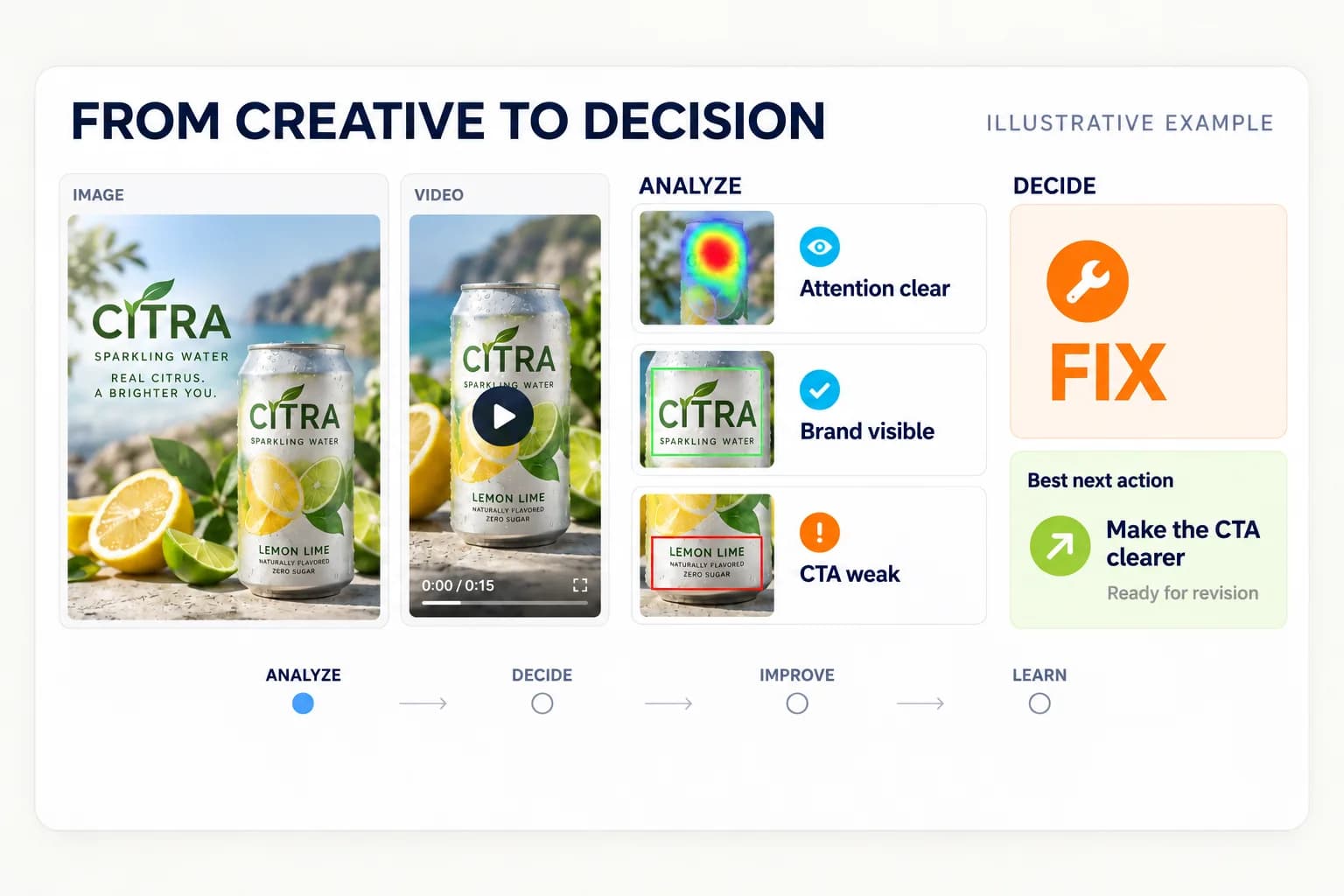
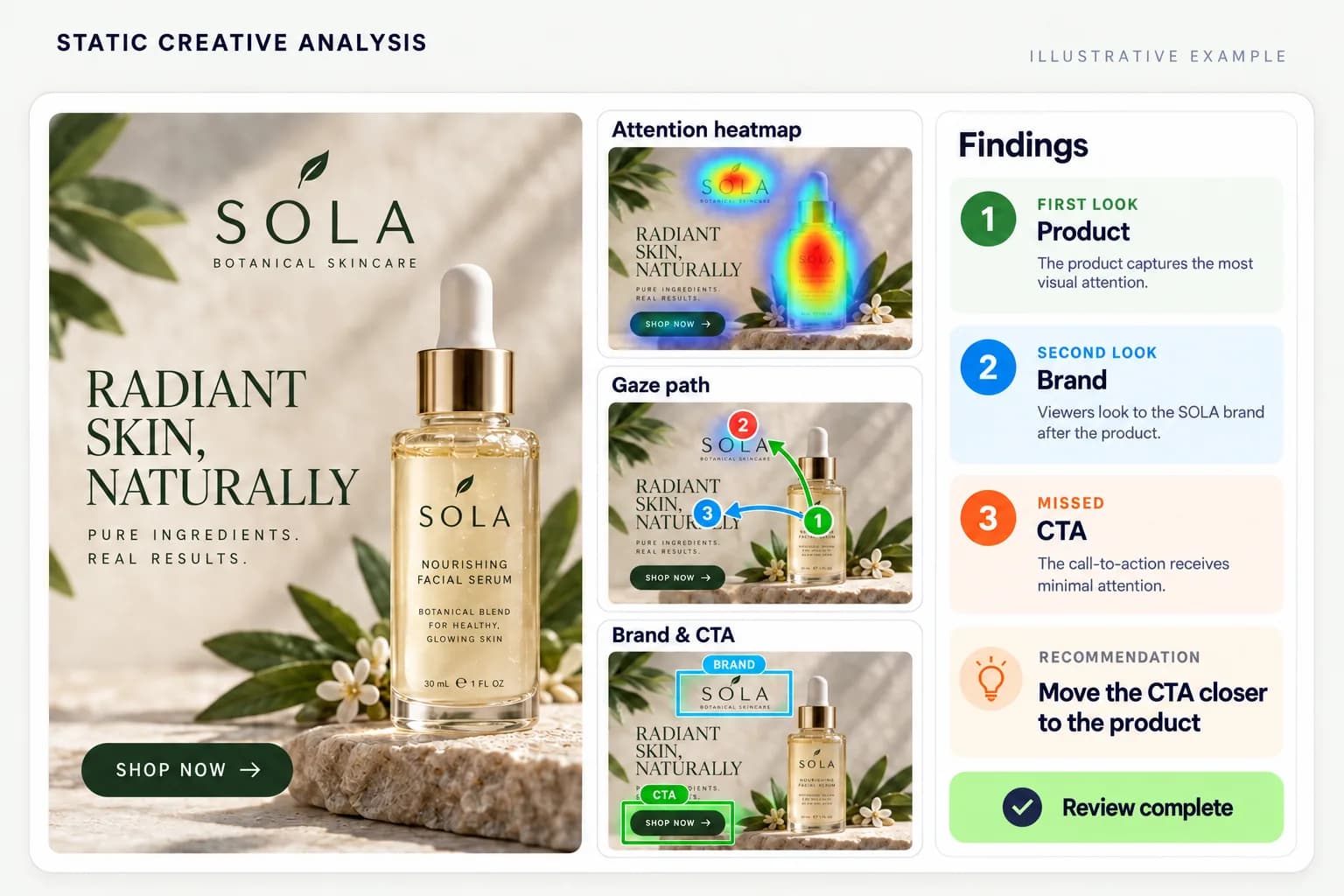
02 · Image intelligence
Attention heatmaps, gaze order, brand and call-to-action visibility, read together in one report.
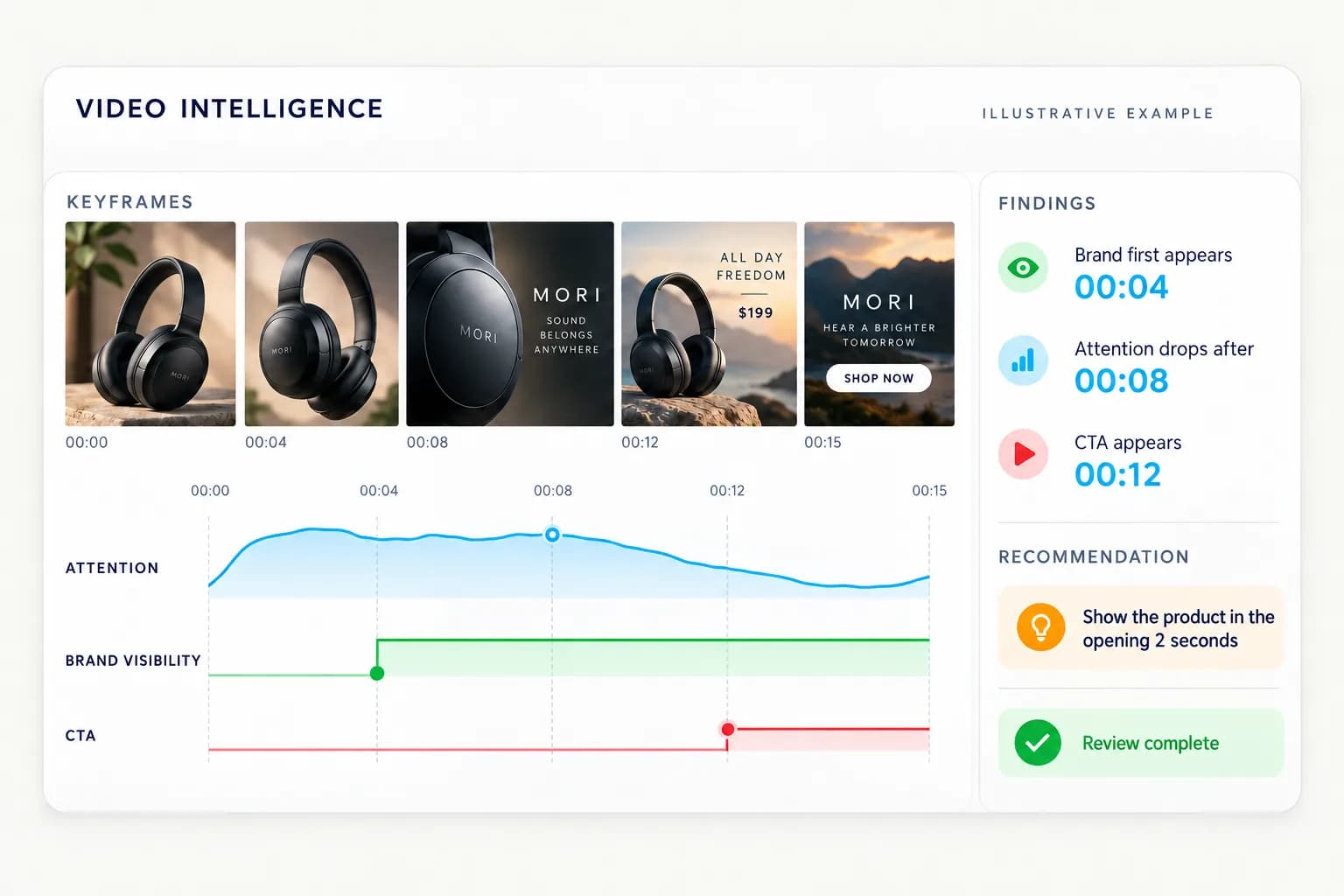
03 · Video intelligence
Where attention holds, where it drops, and when the brand and offer land, with a searchable transcript.
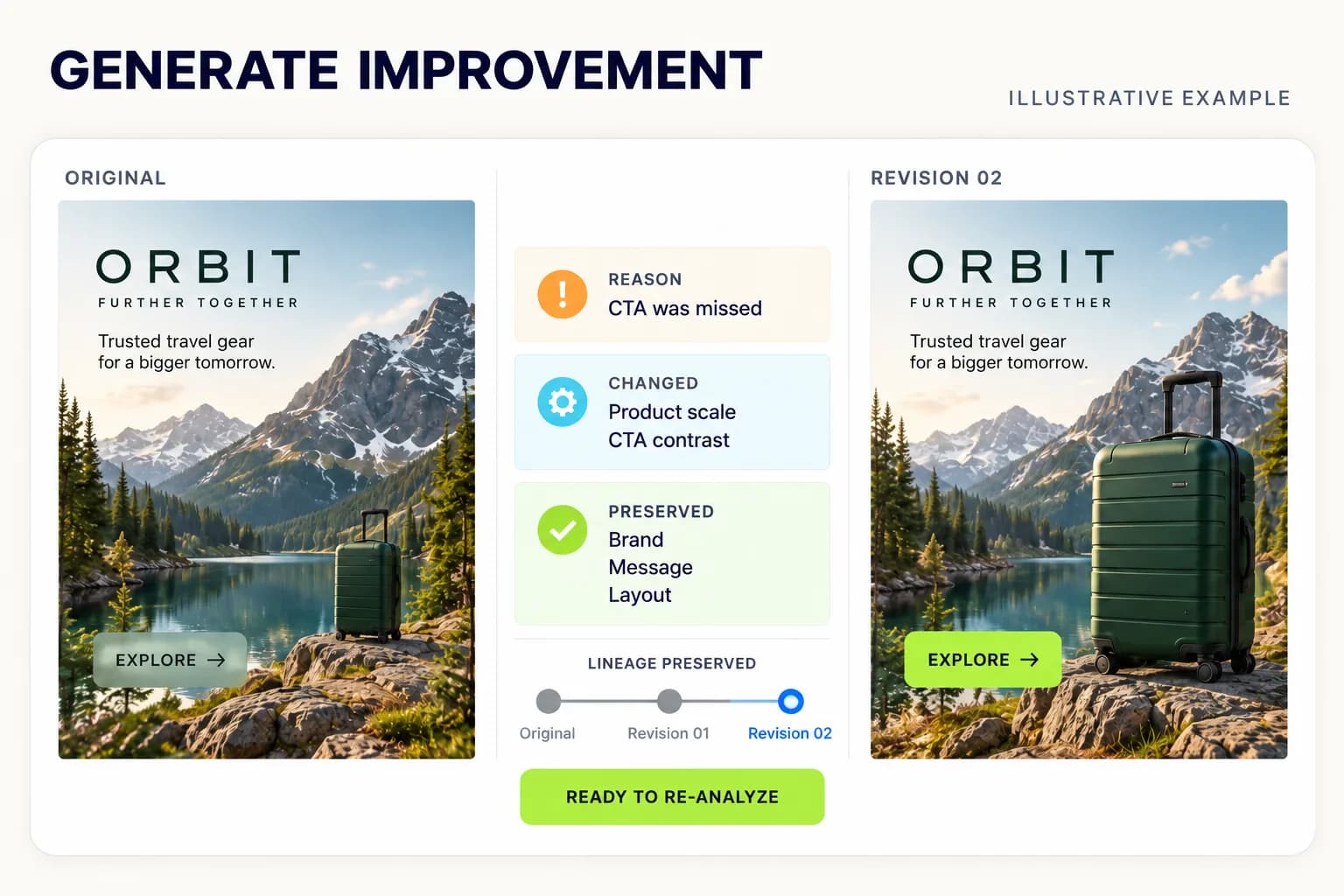
04 · Create & fix
Apply the fixes you choose and AdVizion generates the improved ad in every format, keeping what already works.
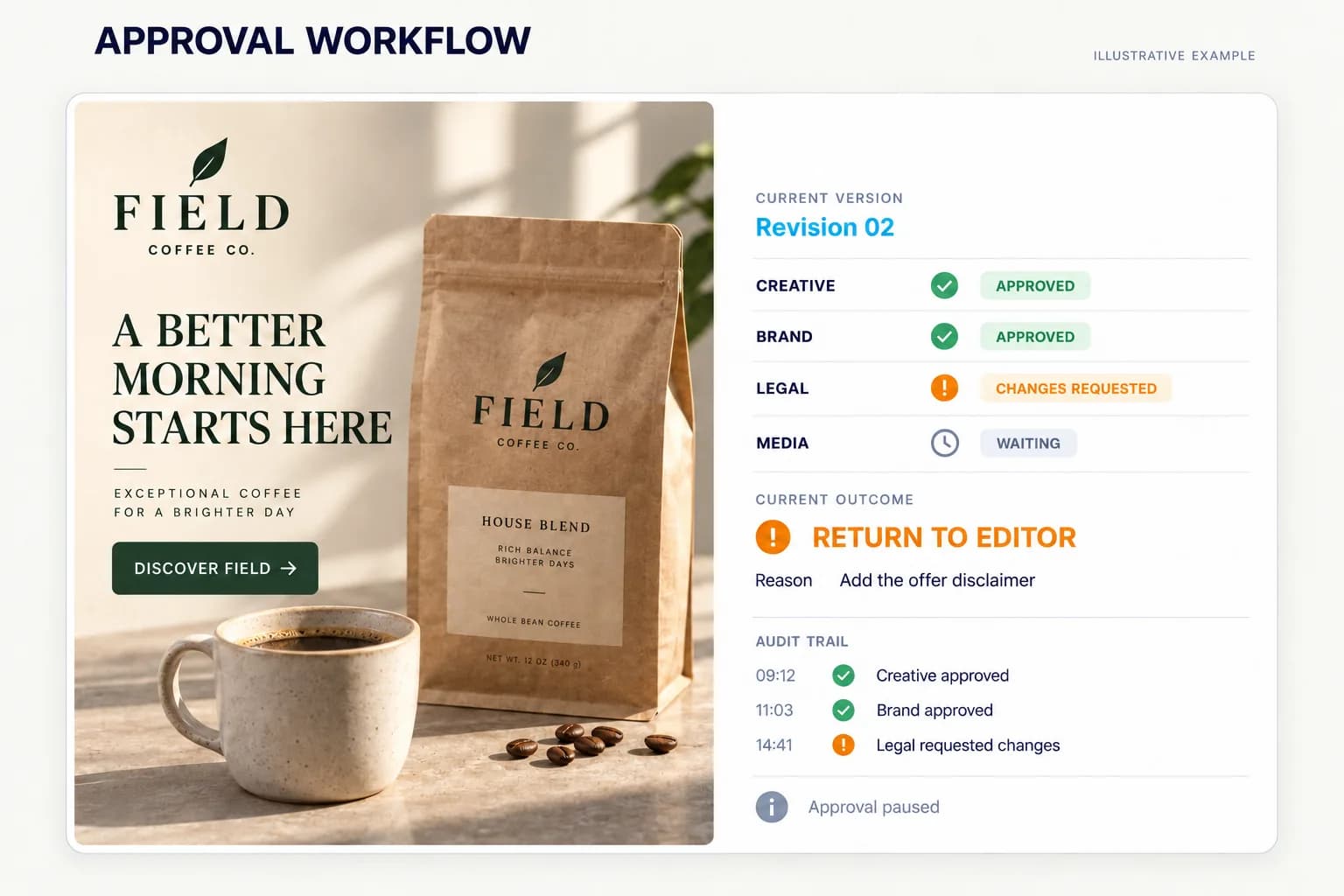
05 · Approve & launch
Clients and legal approve one locked version from a link. Campaigns launch paused until you press Run.
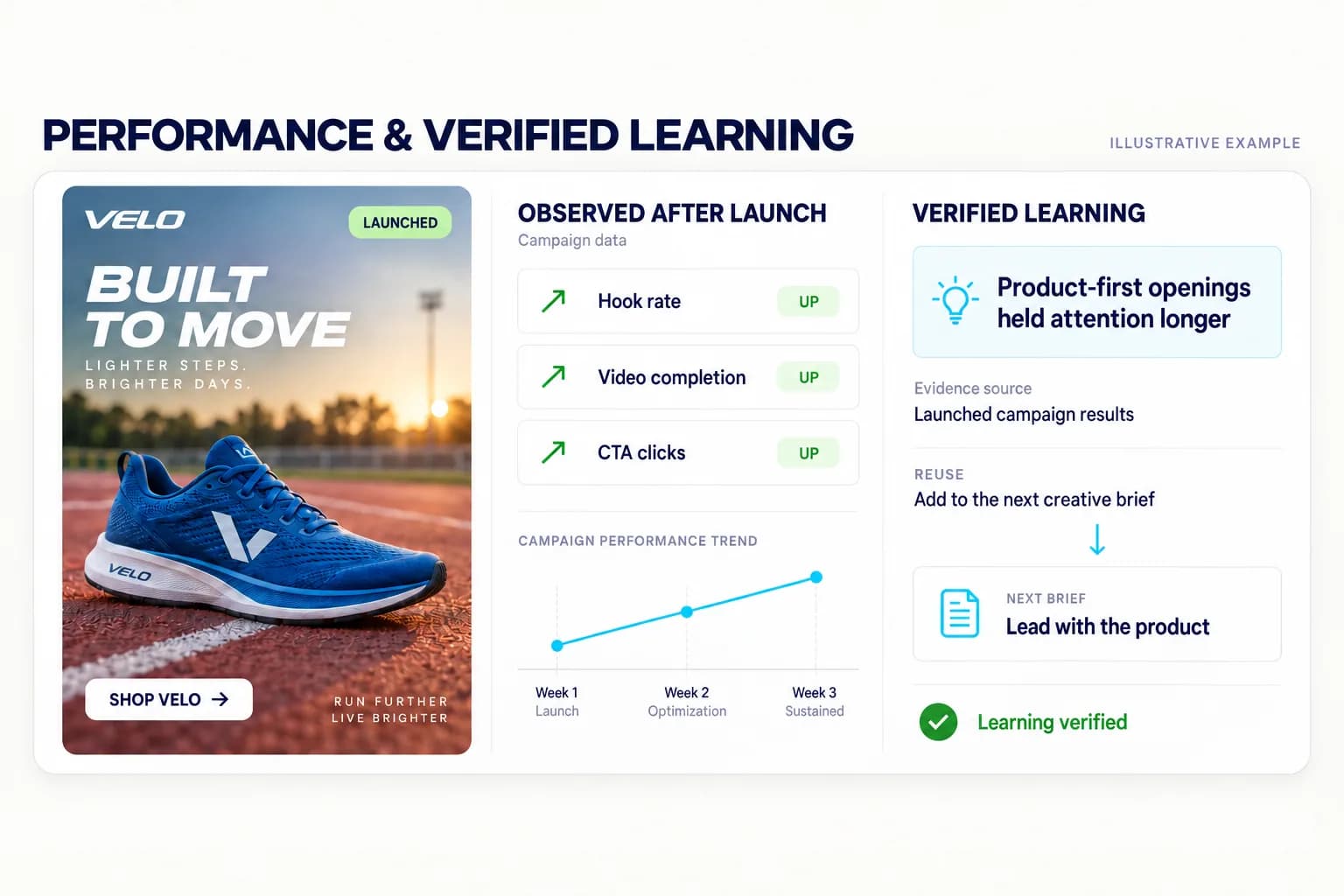
06 · Learn
Results from every channel map back to the exact ad that ran, and feed the next brief.
Start with the brief
Your idea, product photo and brand rules stay attached to every ad you make and check.
A PDF, Word document, or your own idea becomes a proposed brief. Review source details and resolve conflicts before saving.
One connected campaign
Create, review, launch with approval, and improve with evidence. Every step stays connected to the exact creative.
Start with an idea in Ad Copilot or use direct controls in Ad Studio. Attach your brief, logo, product and exact source. Confirm the creation quote before rendering.
Image and video · saved source and child versions
Choose a creation workflowVideo intelligence
Second by second: where attention holds, where it drops, and when your brand and offer appear.
From searchable transcripts to creative findings. Keep the moment and the meaning together.
Explore transcription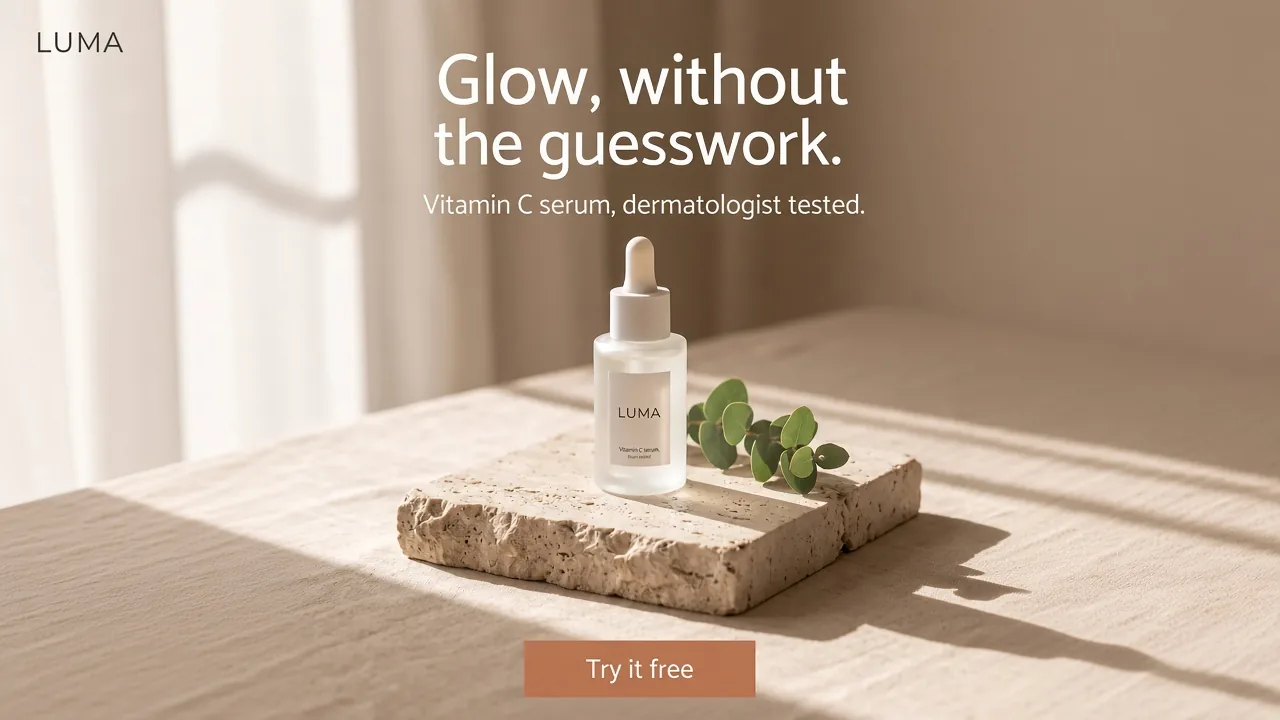

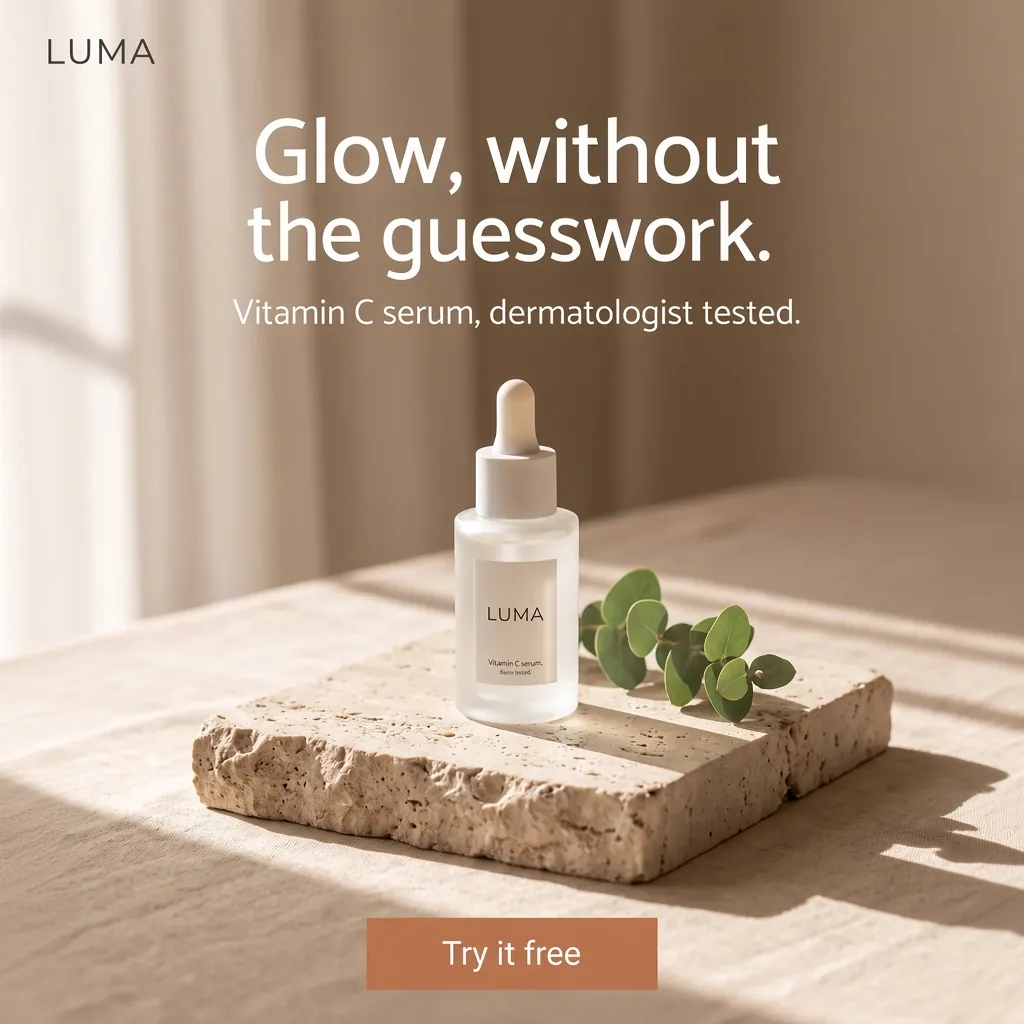
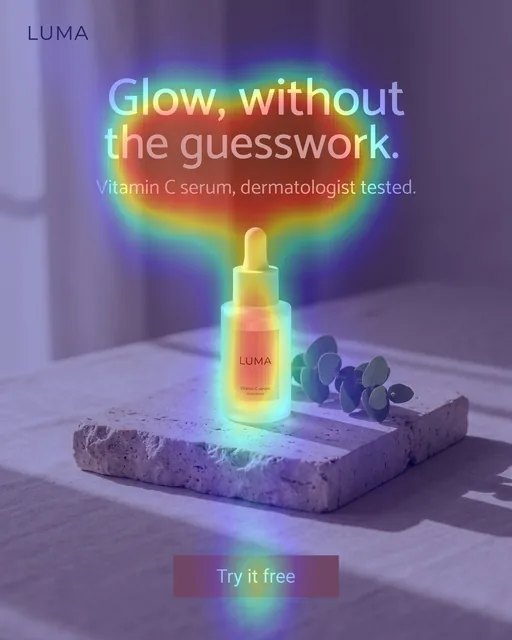


Image intelligence
A clear product. A visible brand. A next step people can find.
The model predicts the headline will be the primary attention-grabber, which is excellent for communicating the core value proposition and drawing users in.
The 'Try it free' button is in a cooler area of the heatmap and seen later in the gaze path, which may reduce clicks for the sign-up goal.
The product is centrally located and clearly labeled. The heatmap shows it receives significant secondary attention after the headline, reinforcing the ad's focus.
Review a single creative or a batch, with the campaign brief and brand rules attached.
Explore image analysisCompare & decide
Compare the creative, the message, and the fit. Get a next move with the evidence behind it.
The ad effectively grabs attention on the headline and product. However, the 'Try it free' call-to-action receives less focus, which could hinder free-trial sign-up conversions.
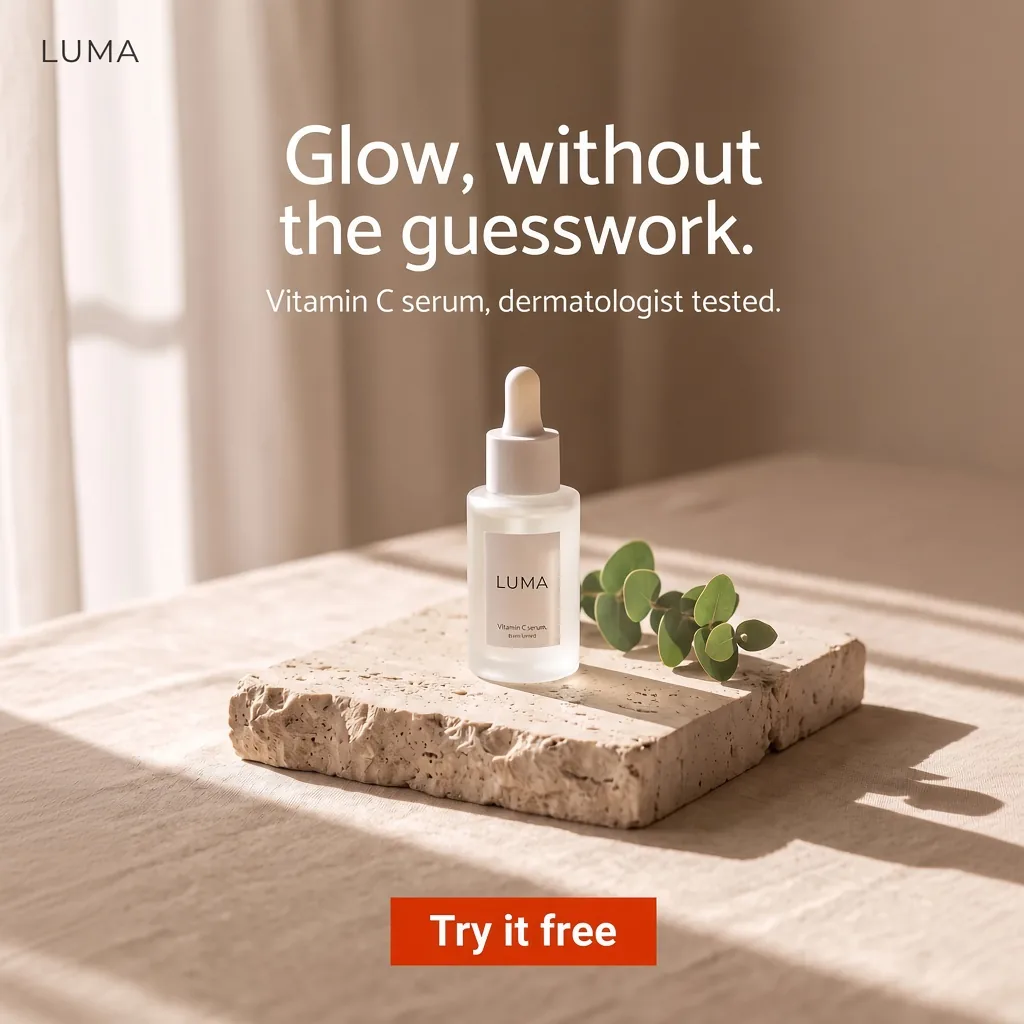
Next actionIncrease the visual prominence of the call-to-action button to draw more attention and drive clicks.
StrongThe creative is natively authored in this aspect ratio, ensuring all elements are perfectly framed.
AdVizion researches the category and its competitors once it identifies the product.
 OriginalRevised
Create & improve
Start with an idea or a creative you already have. The studio generates the rest of the frame for the format you pick.
Keep the LUMA bottle, headline and warm palette. Make "Try it free" bold and high-contrast.
Create your next imageProjects, brand rules & review
Your assets, conversations, and decisions belong with the campaign. So does the reason behind every change.
Share one report with a client or reviewer, without opening the rest of the project.
The brief calls for a clear invitation to start the free trial.
Import a campaign CSV. Keep the source data attached to the work.
Sample workflow.
Results & integrations
Connect the result to the creative. Decide what to test next.
Import CSV results and map them to the right creative version.
Campaigns start paused. You approve the creative, budget and targeting before anything runs.
Analysis, generation, projects, and reports through the API.
Example campaigns
Landscape, square or story. Every placement gets the same careful look.
AdVizionCreative intelligence. Clearer decisions.
Bring the creative. Get a clearer next move.
Work directly with our founder to bring AdVizion into your team's next creative review.
Let's talkA few things worth knowing
Start with an image or video, or review several creatives together. Add your campaign goal, audience, placement, and brand context. Audio and video can also become searchable, timestamped transcripts.
Yes. Create an account to receive free credits and start your first review. No card is required. You will see the credit cost before processing begins.
A Run, Fix, or Reject recommendation, the evidence behind it, and prioritized next steps. Use those findings to guide new versions and keep the review connected to your project.
Yes. Invite the right people to a project or share access to a specific report. Comments, revisions, and human decisions stay attached to the work. Collaboration access depends on your plan.
AI models predict where people look in seconds, without waiting for an eye-tracking study. AdVizion combines those signals with the creative, campaign context, and brand rules in every review.
Creating or approving a creative never starts ad spend. Google Ads campaigns are created paused, and you click Run campaign. If you turn on protection, AdVizion pauses a campaign that misses your target or reaches your spend limit, then prepares a fix and waits for your approval before anything runs again.